

Pandoc
Use a Pandoc hook when you write Markdown and want to review the result as HTML or PDF. After the agent edits or writes the active Markdown file, the hook converts it so you do not run the conversion command by hand.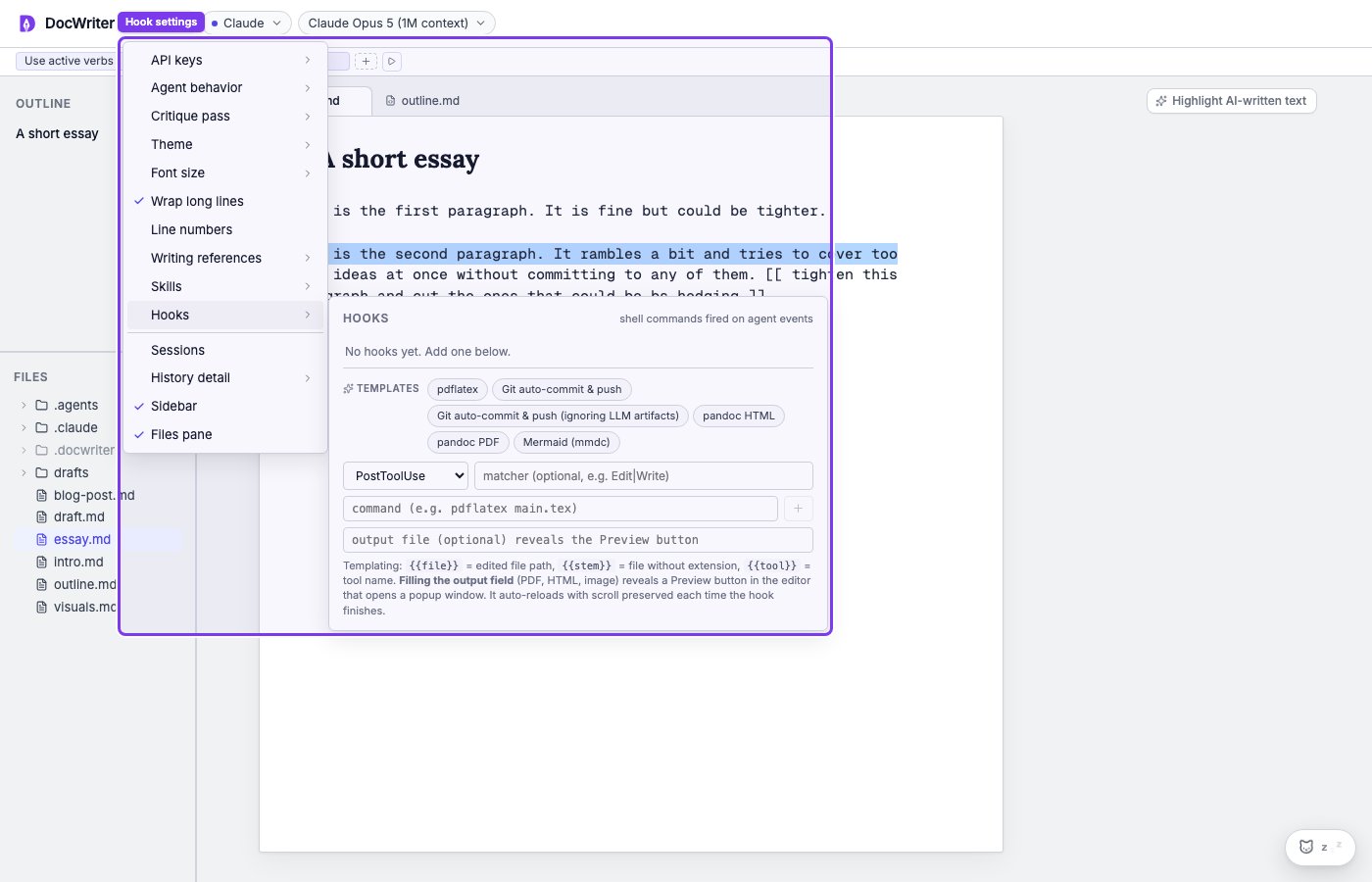
Open Settings, then Hooks, to choose a build or Git template.
{{file}} for the active Markdown path and {{stem}}.html for the output. The Pandoc PDF template uses {{stem}}.pdf. Both templates run after a successful Edit or Write tool call.
Run the hook once and open the preview. You should see a done status, an output file beside the source, and the latest Markdown changes in the preview.
Mermaid
Use a Mermaid hook when you keep a diagram in a.mmd source file and need an SVG for a document or website. The hook renders the active Mermaid file after the agent edits or writes it.
Install @mermaid-js/mermaid-cli, which provides the mmdc command. Then choose the Mermaid hook template. Its resolved command has the following form:
{{stem}}.svg. Run the hook and open the SVG preview. You should see a done status and the latest source change in the diagram.
The matcher checks tool names for Edit or Write. It does not check the file extension, so the command itself must receive a Mermaid file through {{file}}.
Git
Use a Git hook when you want every completed agent turn to commit pending workspace changes and push them to the current branch’s configured upstream branch. Before using an automatic Git hook, make sure commits and a normal push work from the workspace:git push reports that the branch has no upstream, set it once with git push -u origin <branch>. Configure Git credentials and user.name / user.email in the shell when Git asks for them.
Choose one of the Git templates when you want to commit and push the current workspace changes at the end of an agent turn. The standard template stages all changes with git add -A. The private template does not stage .docwriter/, .claude/, or CLAUDE.md.
Both templates run at Stop and require a configured remote and upstream branch. They stage every non-excluded workspace change, not only the active document. Review git status, the command, and the repository state before enabling an automatic push.
Use Run now on a test change. You should see a done status, a clean git status except for expected excluded files, and the new commit on the remote branch.