Read a proposal
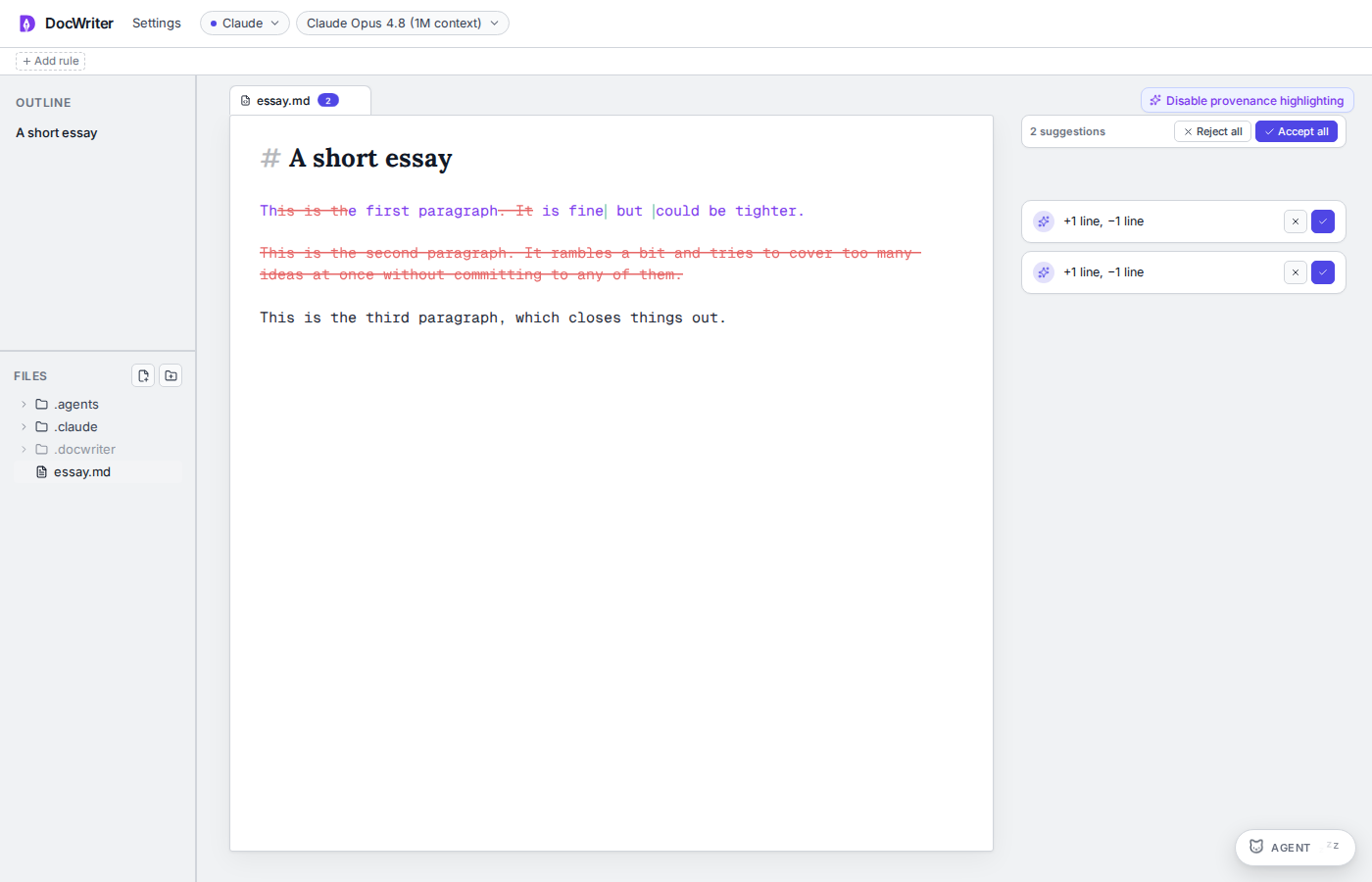
You will see proposed text in the editor and in a card in the comment gutter. Green text is an addition and red struck text is a removal. Hover an edit row to flash the matching text. Pin a diff to keep the proposal visible after closing a card. Small edits use a quieter presentation than large edits. When one comment leads to several edits, the open thread numbers the matching diffs in the document so you can connect each edit to its row.Review one proposal, accept it, then reject another.
Accept or reject
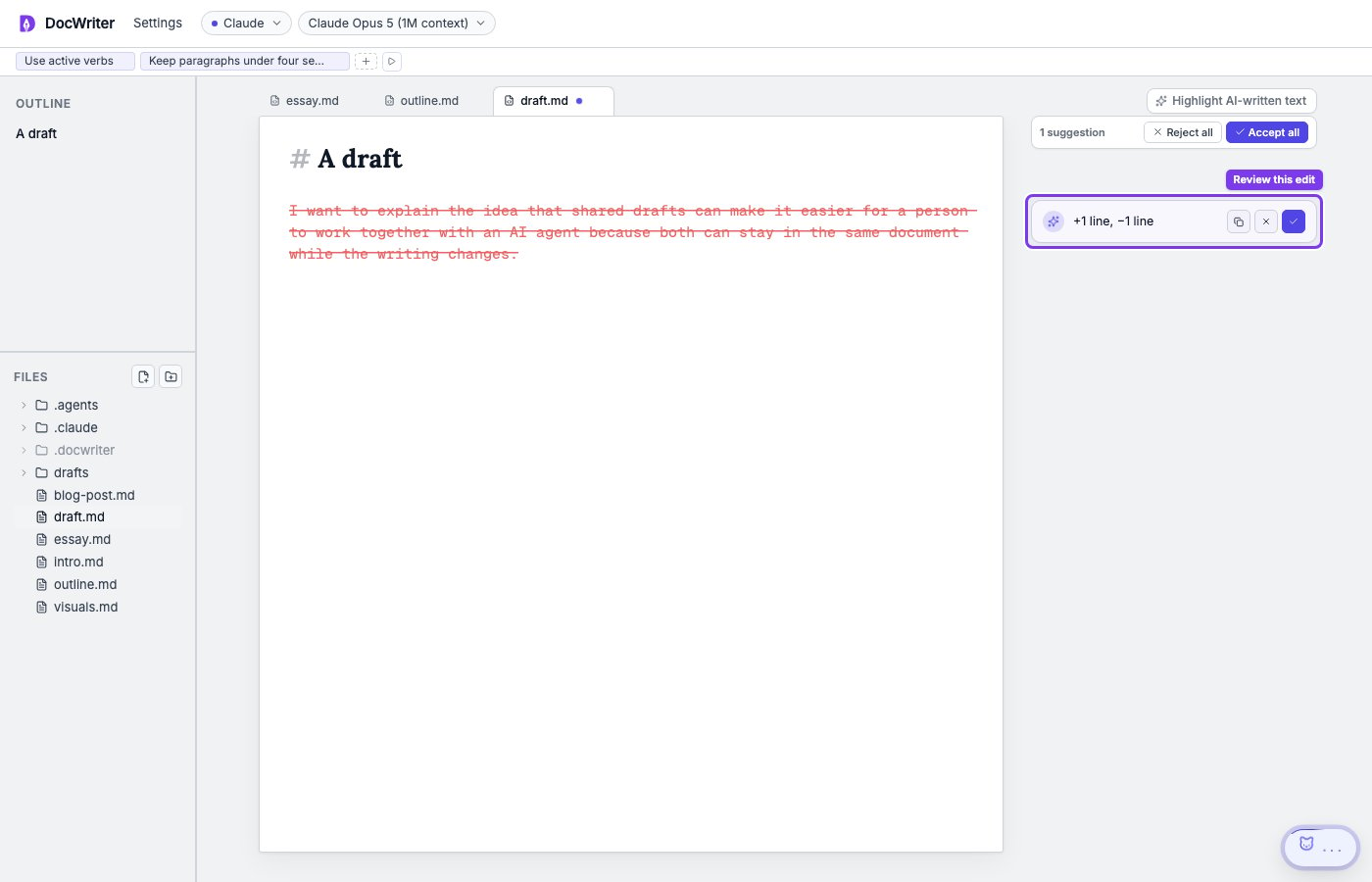
A loose edit is a proposal that is not attached to a comment thread. Use its check button to Accept it or its x button to Reject it. Accept all accepts every proposal in the current tab. Reject all removes every proposal in the current tab, including proposals attached to threads. Neither action affects another tab.